Booking Core: Ultimate Booking System
Our goal is to provide the maximum possible functionality so that you as a site owner can configure the plug-in in the desired way and all this while keeping the interface easy to understand. But it is always good to know all the options. The plugin is divided into three main sections Installation, Settings, Test Gateway.
Installation:
Download the "booking-core-msgbucket-v3.6.1.zip" file from the downloads tabUnzip the downloaded .zip file to the root of your website
Log in to your Booking Core admin panel.
Go to Tools, then Clear Cache.
Settings:
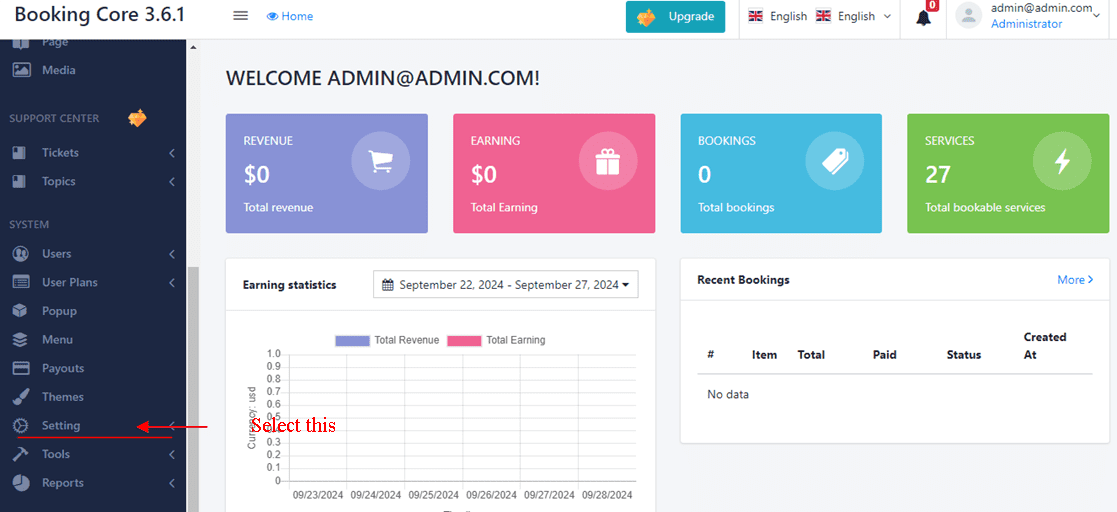
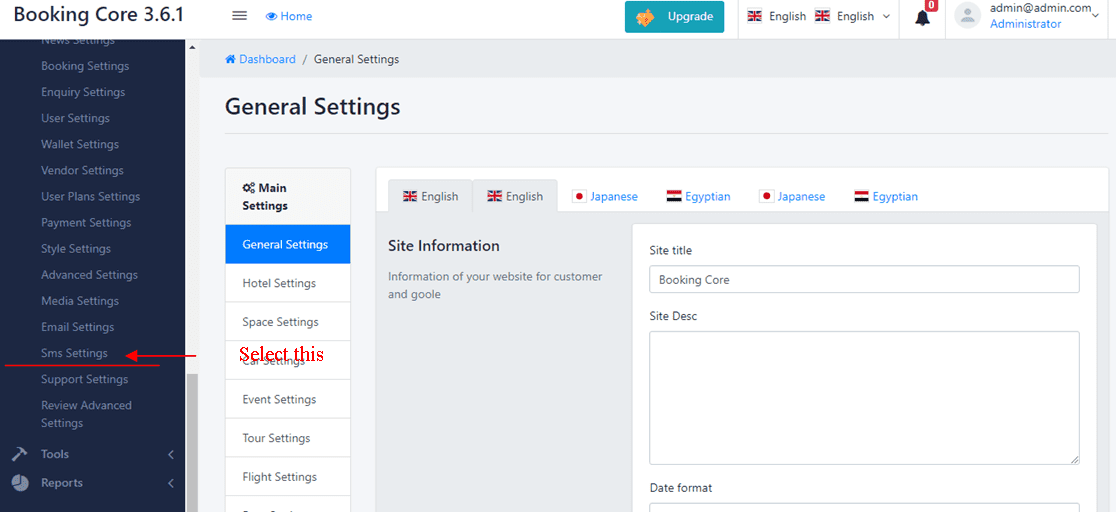
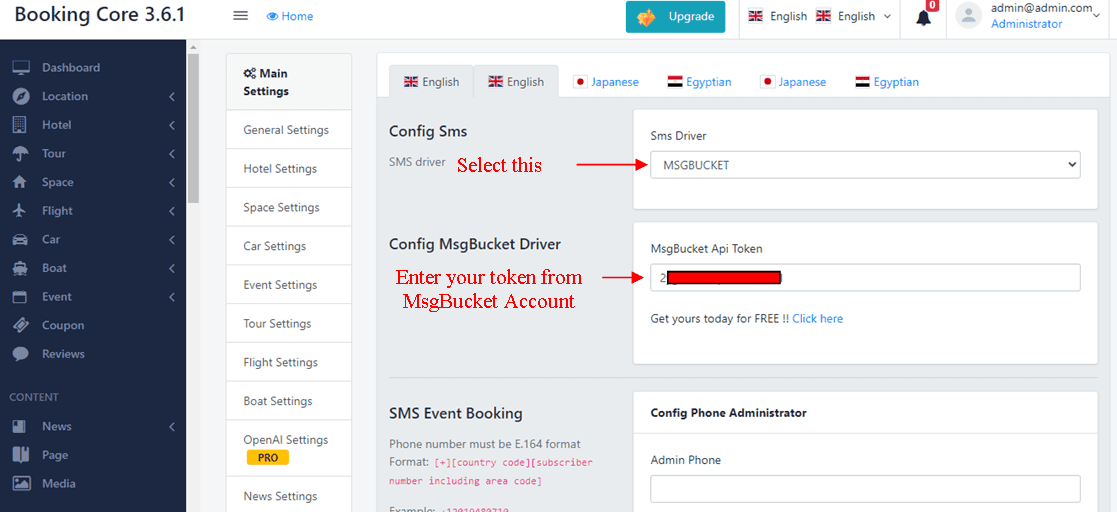
Select the Settings, then General Settings, then Sms settings.Select SMS Driver "MsgBucket".
Enter your msgbucket Api Token .
Test Gateway Setting:
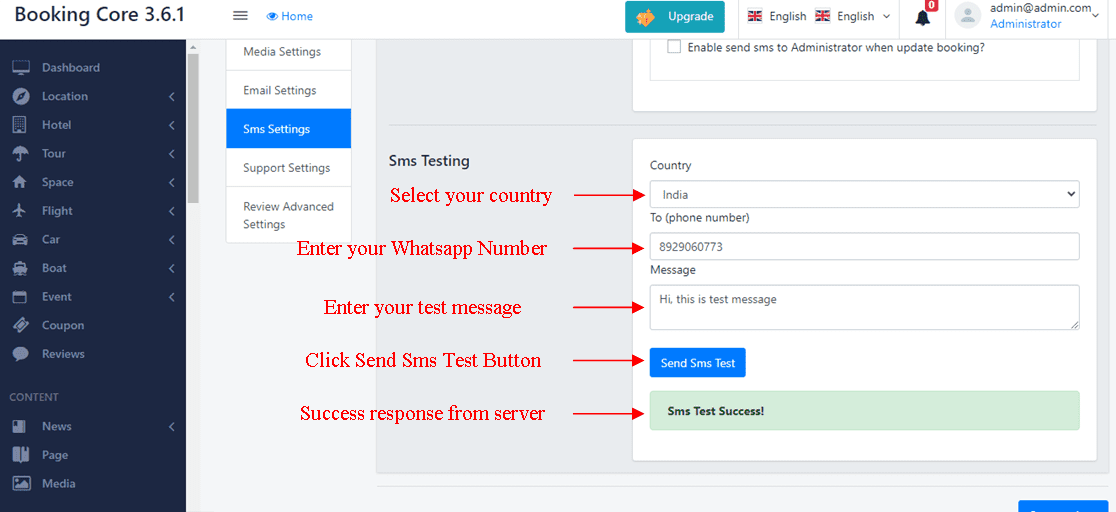
Select your countryEnter your WhatsApp Number
Enter your test message
Click Sms Test and you will see the test response like {Sms Test Success!}